 ava-code
Hey! In this post I'll walk you through how I grabbed a Raspberry Pi 5 and turned it into a proper home server for all kinds of little experiments. Running on it right now: a Telegram bot powered by Claude, an automated news aggregator (also a bot), network-level ad blocking with Pi-hole (spoiler: with mixed results), a NAS for my media library, and this very blog.
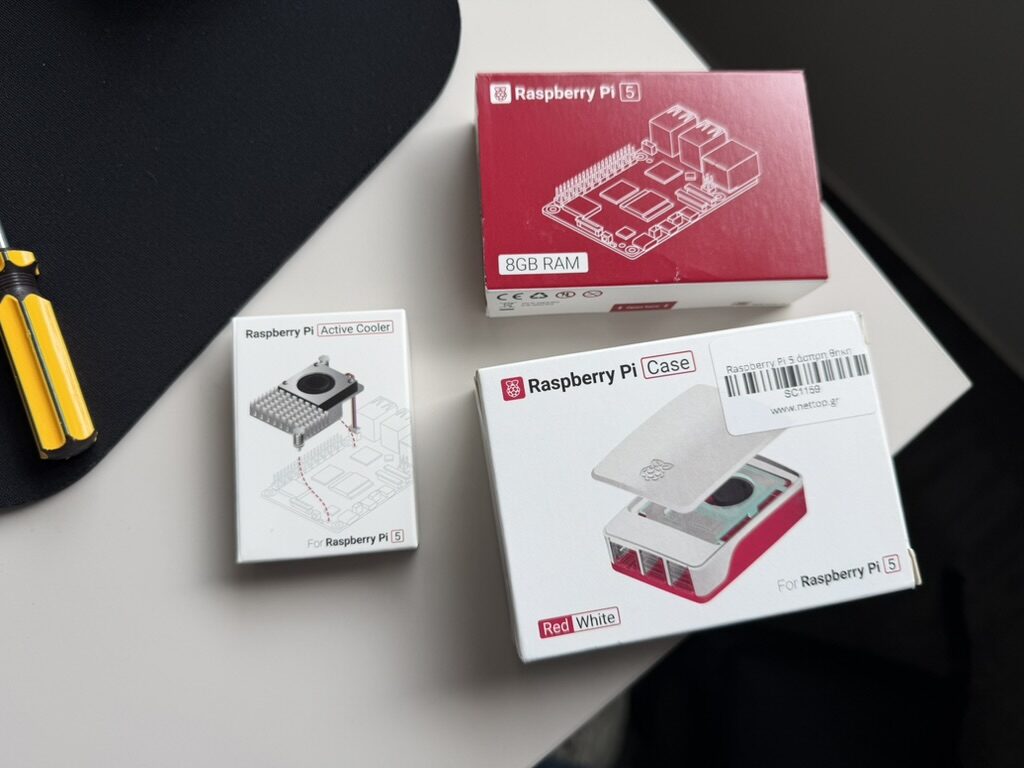
Why I even needed a single-board computer
Every once in a while I'd hack on pet projects — bots, even a little site for learning — but it always ended the same way: close the laptop lid, and the project goes to sleep along with it. I wanted my stuff to keep running independently of my laptop, not exist only while it's powered on.
Sure, I could've thrown all this on a VPS or in the cloud, but I wanted my own hardware at home: cheap to run, always within reach, and no limits on experimenting.
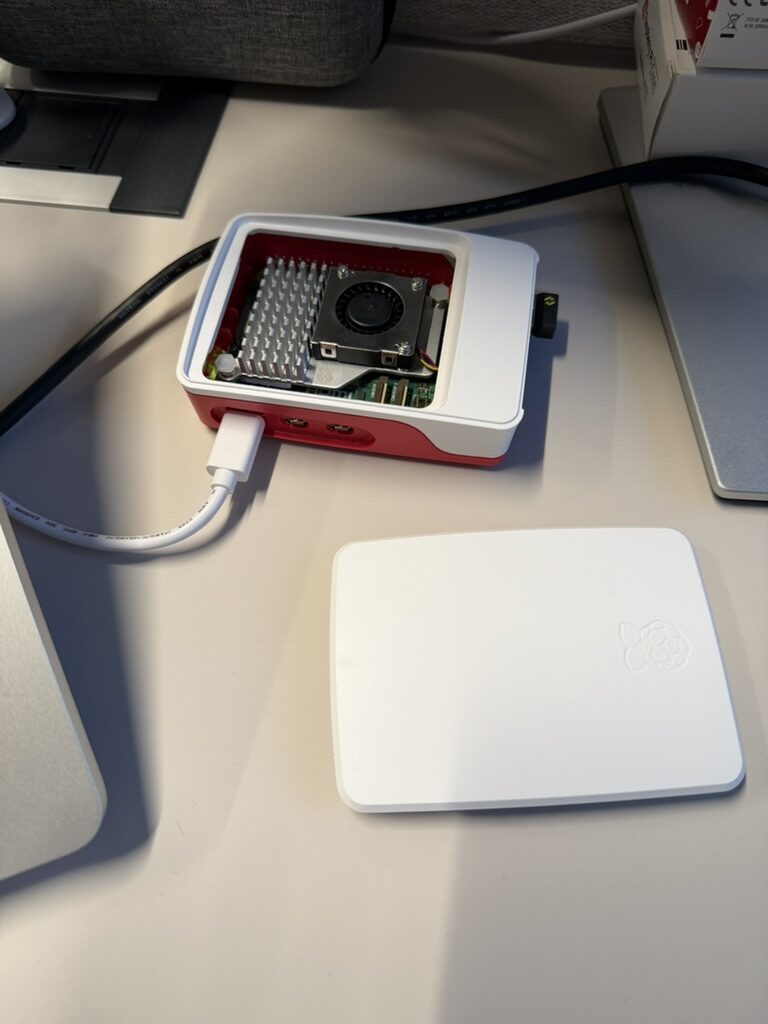
So the pick was a Raspberry Pi 5 with 8 GB of RAM. Hardware-wise it has everything you'd want for this kind of thing: four Cortex-A76 cores at 2.4 GHz, gigabit Ethernet, PCIe 2.0, and real performance — none of that "toy" feeling.
@blast_chat_bot — an AI companion in Telegram
This is a Telegram bot — basically a minimal wrapper around Claude. The idea was simple: don't pay separately for the API if I already have a subscription — just squeeze the most out of what I already have.
So I've got a Docker container running Claude CLI in headless mode right next to it. The bot just sends a request in, gets a response, and hands it back to Telegram. Technically it's dead simple: message → command → response → Telegram.
Not sure anyone else does it this way, but for my purposes it turned out to be a surprisingly comfy setup.
Friends, group chats, and "contextual reality"
Then I added the bot to a chat with friends — and that's where the wrinkles started.
Turns out Claude by default lives in a world where exactly one person is talking to it. But in a group chat there's suddenly more than one person, and things quickly turn into a mess.
I wanted the bot to:
- understand who specifically is talking to it
- see the context of the conversation
- not reply into a void
So I had to level up the logic a bit. Now the bot:
- tells message authors apart
- reads the whole chat, even when it isn't tagged
It just listens to everything happening in the group and drops it into a rolling buffer that looks like this: [time] Pete Ivanov (@pete): text.
When someone pings the bot, I tack onto the prompt before the request:
- that buffer
- plus a note like: "the person talking to you right now is Pete Ivanov (@pete)"
And now Claude sees not just the question but the context of the conversation, and replies sensibly instead of like it was asked something out of thin air.
And all of this — no tool use, no fancy architecture. Just text context and a bit of logic. Cheap, dumb, and, somehow, it works.
blast-news — a morning digest on autopilot
The next bot is an automated news aggregator. Every day it grabs content from my sources and turns it into a digest with Claude's help.
The problem was pretty mundane: the number of channels and posts keeps growing, and at some point keeping up with all of it becomes a second job. But not reading isn't an option either — hello, FOMO and anxiety.
At some point I just decided: if I can't keep up with everything myself, let the bot do it.
Sources
The bot pulls news from roughly two dozen Telegram channels and a handful of sites: Hacker News, Lobste.rs, TLDR Tech, and a few others.
Smart summarization
I've got a dedicated prompt for Claude per source. The idea is that different sources have different styles, so the summary should be different too: sometimes dry, sometimes more context-heavy, sometimes focused on details.
How it works
Once a day the bot:
- Grabs fresh posts from Telegram
- Scrapes the web sources
- Deduplicates
- Generates a summary with Claude
- Sends the finished digest to my DMs
There's nothing unique about any of this — tons of solutions like it already exist. But in practice it genuinely helps me doomscroll less and stress less about what I might be missing.
ava-code.com — this blog
The website project is, well, the blog you're reading right now.
Quick disclaimer: the site is pure vibe-coding. I built it "on feel", so if something looks a bit off — it's not a bug, it's the aesthetic.
You can register and leave likes here. Why — great question. For now it's a feature of the "eh, why not" tier. But maybe one day someone will come along who just wants to press the button out of curiosity.
Updates here will be infrequent, but that was never really the point. That said, there's already an Arduino kit on my shelf, so the next post might well be about that. Or about something else — we'll see.
NAS — a home media library
Next up, a minimal home NAS.
I set up network storage on top of Samba: plugged an external USB drive into the Raspberry Pi and shared it over the local network. So now any device in the house — laptop, tablet, or TV — can connect and stream straight from it. A tiny personal "Netflix", except without a subscription and with my own files.
Setup
The whole thing took about half an hour:
- plugged in the drive
- formatted it as ext4
- set up auto-mounting
- fired up Samba
And that's it. No heavyweight NAS distros like TrueNAS or OpenMediaVault — overkill for what I need.
How I use it
Basically it's just storage for movies and TV shows. And that's enough: everything runs steadily, fast, and without extra complexity.
Pi-hole — bye-bye, ads
The first thing I installed on the Pi was Pi-hole. In short, it's a DNS server that blocks ads and trackers at the network level.
The setup is simple: point your router's DNS at the Raspberry Pi, and ads disappear from every device at once. Phones, laptops, TVs — everything starts living banner-free.
How it lives
The whole thing runs in a Docker container. Pi-hole has a handy web interface with stats:
- how many queries got blocked
- which domains are the busiest
- which devices are the most "noisy"
I consistently cut out around 30% of DNS queries — and that's without any fine-tuning, just on the default blocklists.
Reality, as always, butted in
I'd almost started to believe that the ads had been defeated…
But it turns out the ISP-issued router flat-out won't let you change DNS. Not through settings, not through any workarounds — there's simply no option for it.
So until I buy a proper router, ads remain part of my life. And Pi-hole just sits there doing its job, a little sulkily.
The bottom line
Was it worth it? Short answer: yes. Long answer: yeeeees.
Resource-wise, everything looks almost too chill: all the services combined use less than a gigabyte of RAM out of the eight available, and CPU load on average doesn't climb above 10%. The Raspberry Pi barely notices anything is even happening on it.
What turned out well
- full control over both hardware and software
- Docker, which makes deploys and updates as painless as it gets
- a DIY NAS that actually works
If you've got a handful of pet projects that don't need serious compute, the Raspberry Pi 5 turns out to be a surprisingly handy thing for self-hosting.
8 GB of RAM is plenty of headroom for bots and small web apps, and the Cortex-A76 handles workloads noticeably snappier than you'd expect from such a little box.
In short, what came out is a small home "mini data center" that just quietly gets on with its job.
1 comment
A lonely comment from the author for testing)
Sign in or register to leave a comment.